Bitnaon
0%
Prototype in progress Braille learning device

Eduble

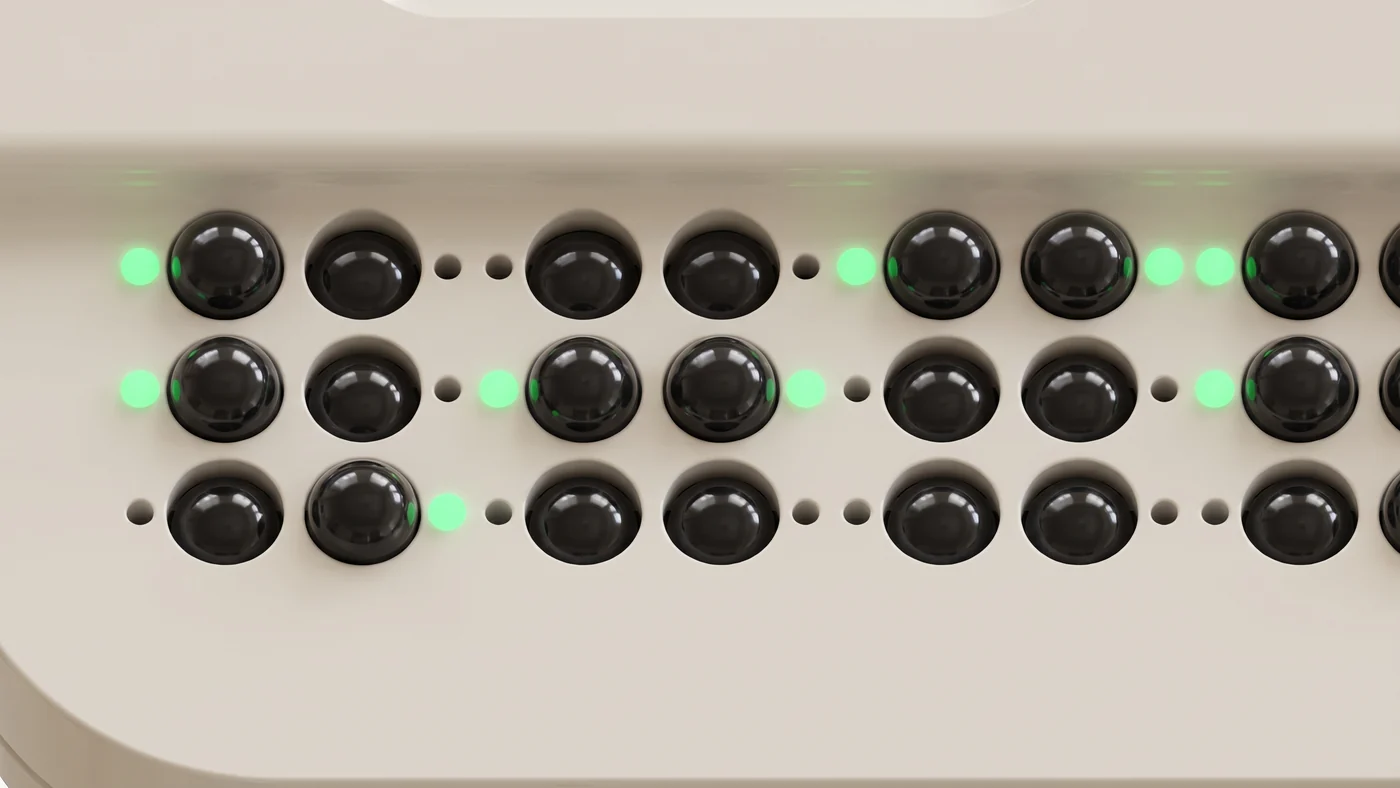
A braille typing trainer with 60 push-lock switches that form ten braille cells. The switches left standing are the braille, and a light beside each dot shows which to keep and which to press down, so someone who does not know braille can still teach alongside.

0.0/4.7s
All round360°

Ten cells in one line

One braille cell is six switches. Ten cells run in a single line along the front edge, so a word is built without breaking it up.
At a glanceSPEC

Build it, check it right there

10braille cells
60dot switches
64indicator lights
CoreLED

Lights mark the dots to keep and to press down

Even someone who does not yet know braille can see which switches to raise and which to press down.

EDUBLE
Why it matters

Braille is hard to learn alone.

Textbooks exist. What is missing is a tool that tells you on the spot whether you got it right.
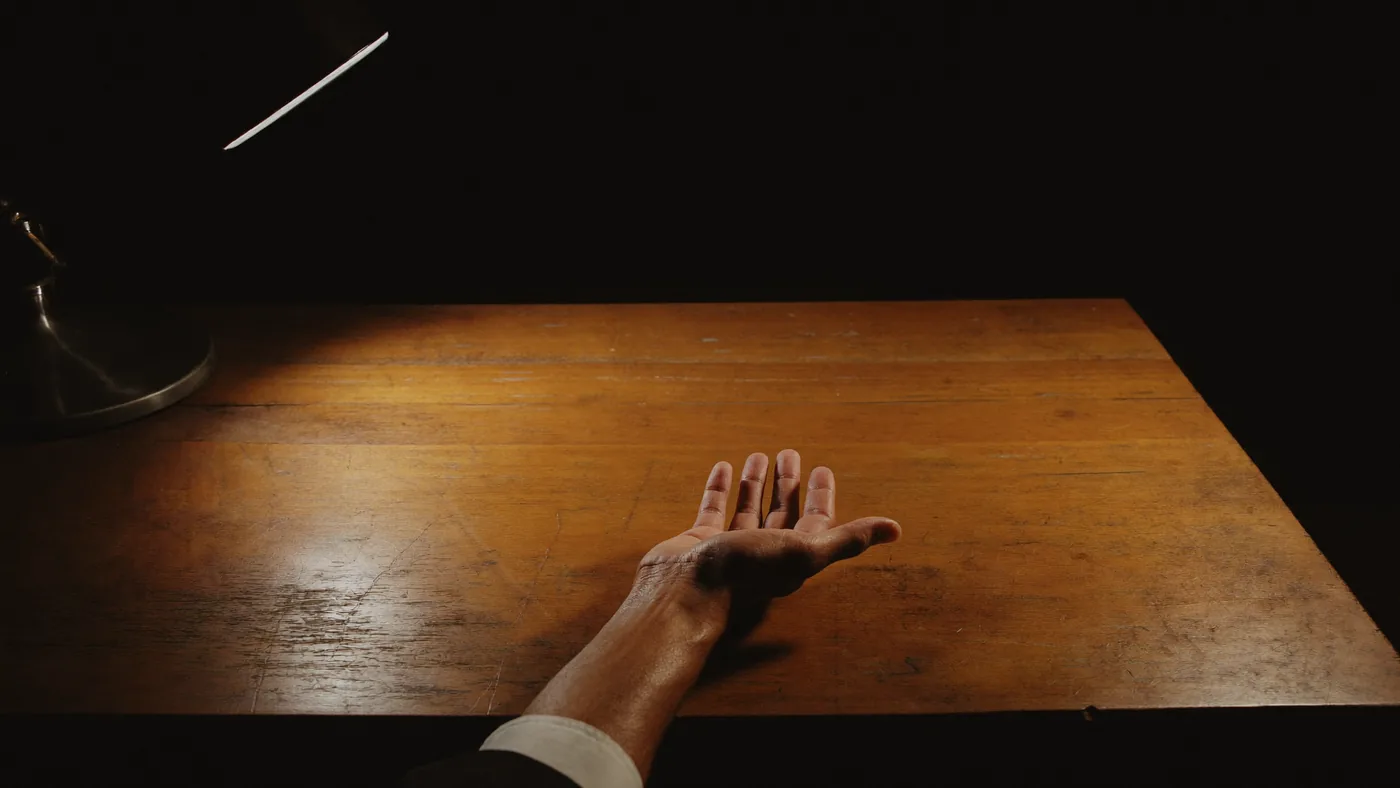
One open hand rests palm-up on a desk in a dark room. Nothing else is on the desk, and a single lamp pools light in one place.
Once you have punched a line on the slate, nothing follows. Whether it is right or wrong, someone else has to read it back to you.
Paper workbooks and a stylus
No feedback

Once you punch the slate there is no way to check yourself. Someone has to read it back to you.

No progress alone
One-on-one instruction
Tied to a person and a schedule

The surest method, but you only learn while the teacher is there. The teacher has to know braille first.

Learning happens on a schedule
0.0/3.4s
IndicatorLED

One light per dot

This is the word 안녕 (hello) being built. Every switch starts raised, and only the four cells in use light up. Green marks a dot to keep, red a dot to press down.

The board6 × 10

One switch per dot

6dots per cell
10cells built at once
60dot switches
Learning togetherWHO

Teach it without knowing braille

Press a red dot down and its light goes out, until only green remains. What is left standing is 안녕. A parent or teacher who cannot read braille can still practise alongside, just by following the lights.

INDICATOR
The indicator

The switches left standing are the braille.

Each dot is a switch that locks down when pressed and pops back up when pressed again. A raised switch is a dot; a locked switch is an empty position. Under the fingertip the raised domes read as braille. Beside every switch is a small window that tells you, by colour, what to do next.
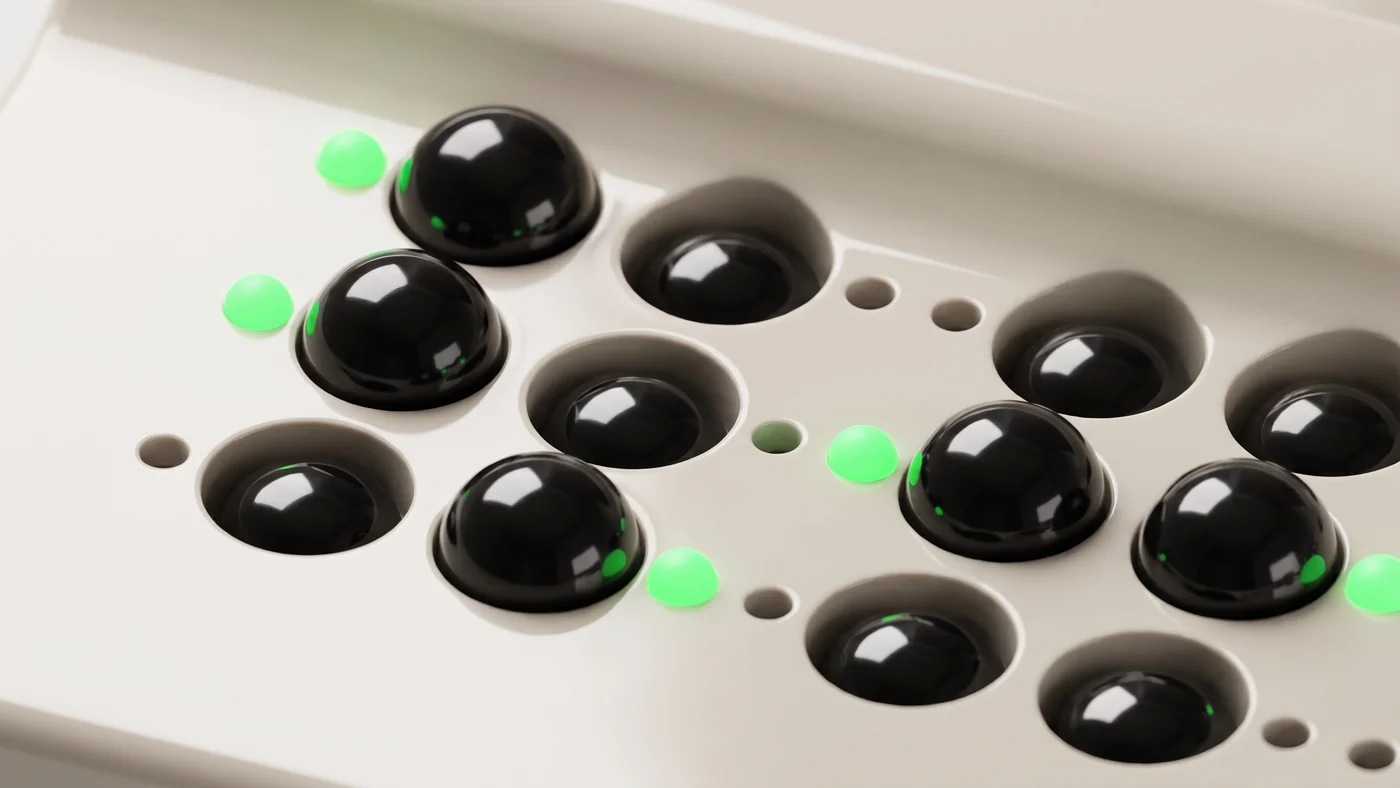
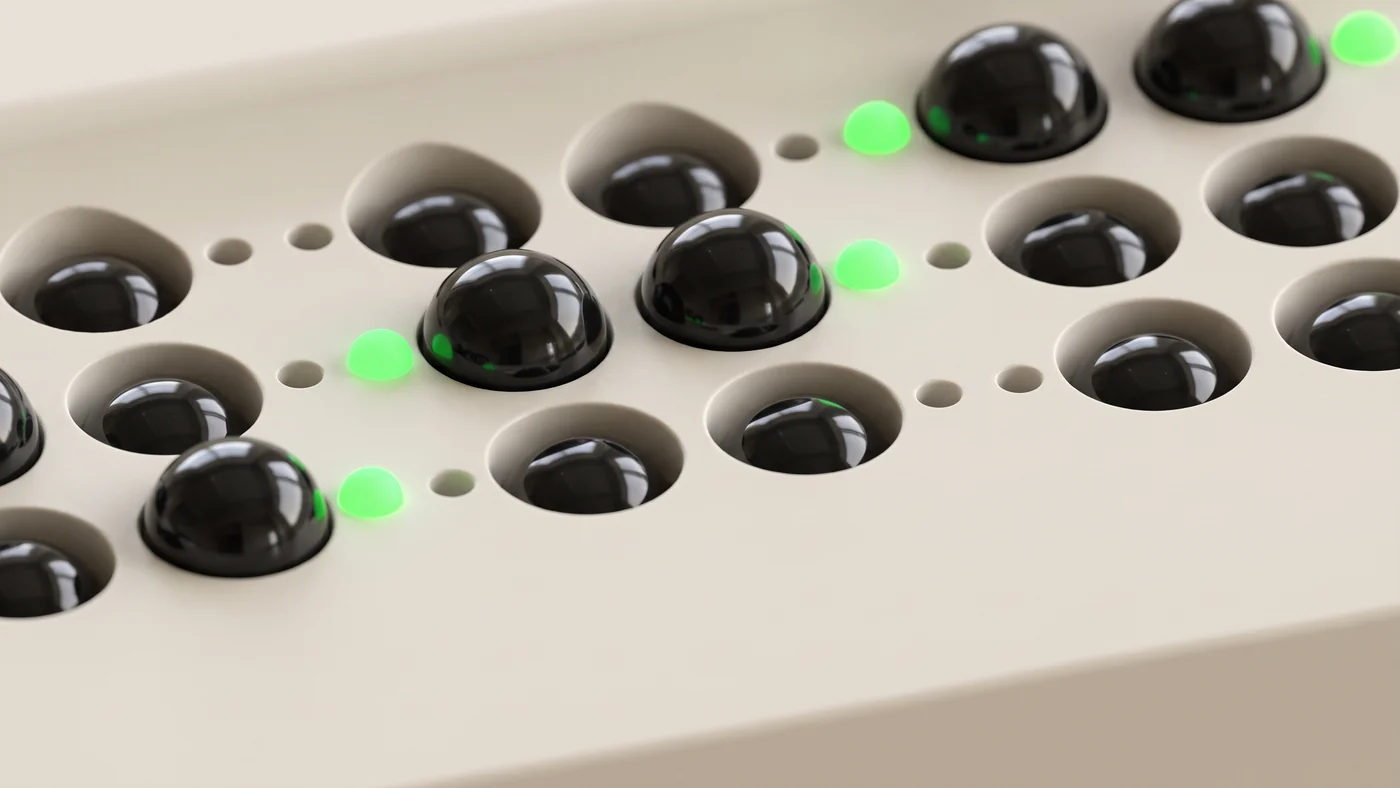
A close view of black dome switches on a cream panel. Some stand raised, others are locked down low inside their openings. The small window beside each raised switch glows green.
A raised switch is a dot; a locked switch is an empty position. The small window beside each switch is its indicator light.
The switches from another angle. The height difference between raised and pressed is clear, and only the windows beside dots to keep glow green.
Press once and it locks down; press again and it comes back up. The shape you built stays even with the power off.
Four braille cells seen from above. In each two-by-three cell only the kept dots stand raised, and the window beside each glows green.
Only the cells in use light up. 안녕 takes four cells, so from the fifth cell on the board stays dark. Photoreal render made from the design data.

The person helping cannot read braille

Here is why the lights are there. Braille is hard to learn alone, and the person who could help usually cannot read it. That goes for parents and teachers alike. We decided the learner reading by touch and the helper watching with their eyes must know the same thing at the same moment, and gave that job to the light beside each dot.

Three colours are enough

Green is a dot to keep, red a dot to press down, and blinking orange a dot to raise again. The colours can be chosen in the app, so next to someone who cannot tell green from red you can switch to blue and orange. Brightness is set in the same place.

Only the cells in use light up

A two-cell word lights two cells and leaves the other eight dark. So building the single letter 아 does not mean tidying the other nine cells first. The app also says aloud how many cells a word uses.

The light only assists

This device puts reading by touch first. Because a raised switch is the braille, learners can read back the shape they just built with their fingertips. The lights are for the person beside them, and each stage relies on them a little less.

How it teaches

Build by copying at first, then write it yourself.

Each stage leans on the lights a little less. When the question changes the app says how many cells it uses, and only those cells light up.

STEP 1
Copy the pattern
Dots to keep light up green and dots to press down light up red. Following the lights, raising and lowering the switches, the hand learns the positions first.
STEP 2
Take dictation
Build the word you hear in braille. No lights this time: work from memory, and press the speaker key to hear which dots are standing on the board.
STEP 3
From memory
Someone beside you says a word and you build it. The answer appears neither on screen nor in the lights.
STEP 4
Check with the circle key
When it is built, press the ○ key. You hear and see right or wrong on the spot; a wrong cell is first only pointed out, then one dot at a time. The ◀ ▶ keys move between questions.
The learning platform

The device alone cannot teach.

The app decides what to build and in what order. It connects to the device over Bluetooth, and progress stays on that device even without an account.
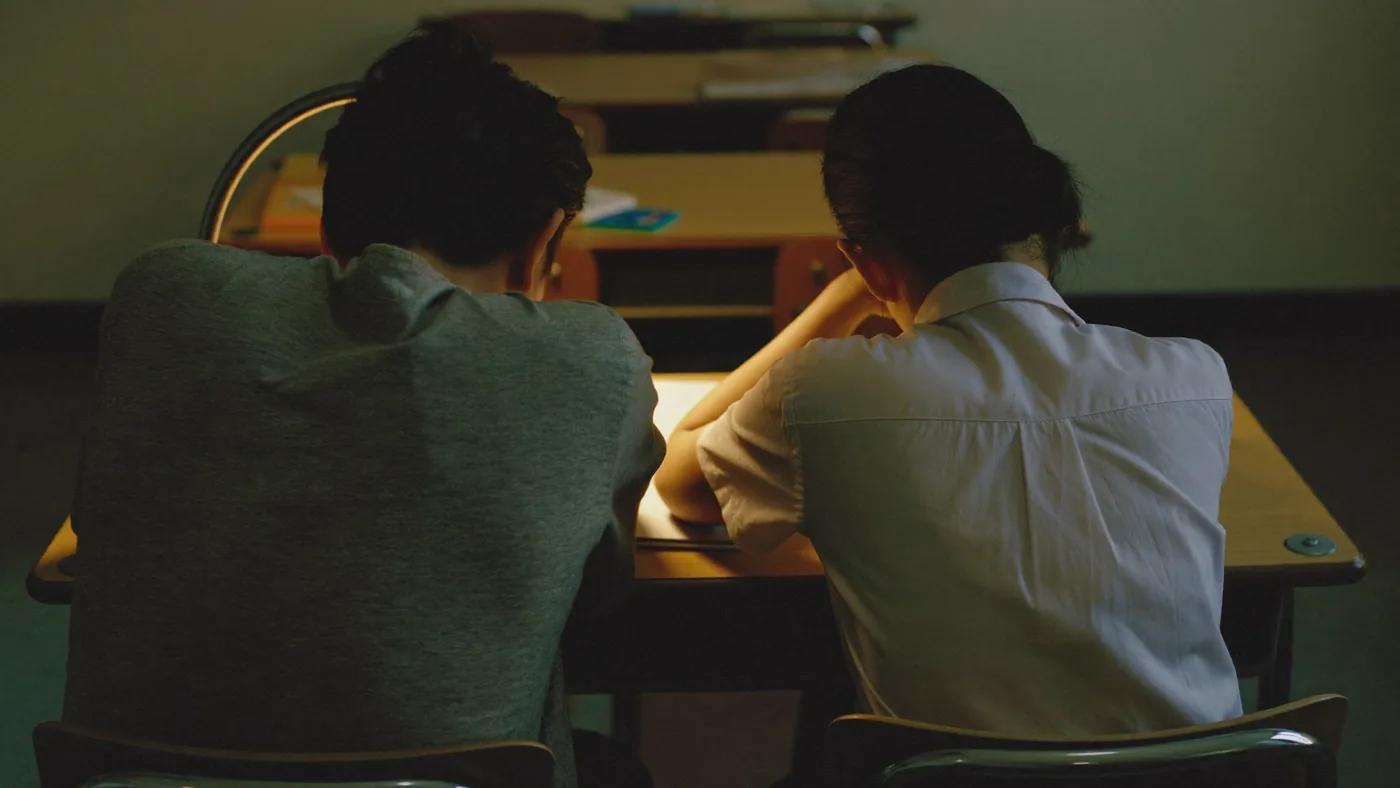
Two people sit side by side at a desk in a dark classroom. The photograph is taken from behind so no faces are visible, and warm light pools on one spot of the desk.
The person sitting beside you does not need to know braille. The light beside each dot says which dots to keep and which to press down.
0stages
From a single-cell letter to a whole sentence
0units
Three or four units in each stage
0
questions, every one checked against the braille engine
01
Questions by stage
You start with single-cell letters and move on to words, split words, and sentences. Each unit states exactly what is new in it.
02
Uncontracted and contracted
Learners who have not met the contraction rules yet get the full uncontracted form. You choose in Settings.
03
A ladder of hints
The first miss tells you which cell, the second one dot, the third everything. The answer never arrives all at once.
04
Review boxes
A question you got right comes back after 1, 3, 7, and 21 days, so you meet it again about when you would forget it.
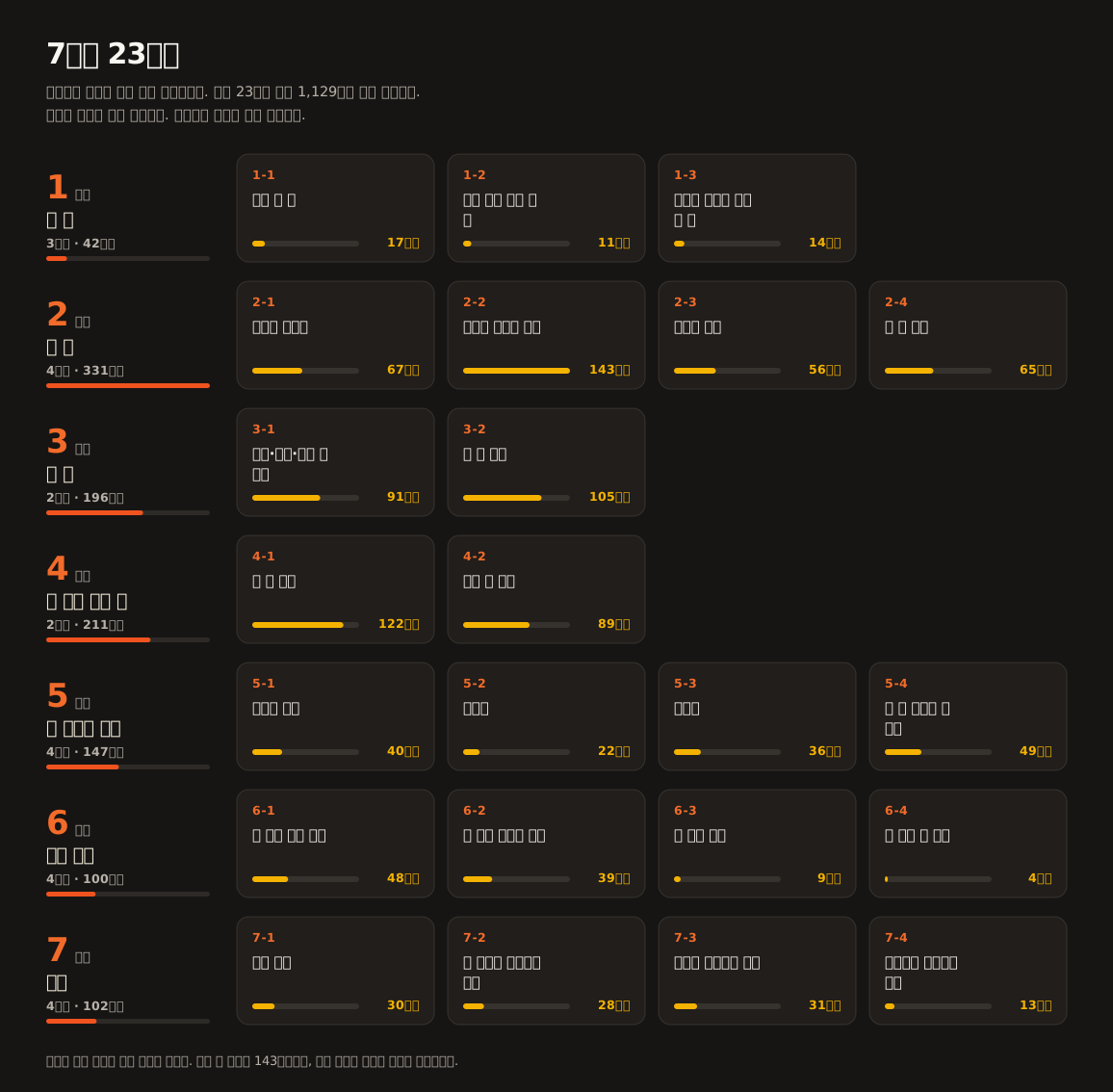
A single chart laying out seven stages and twenty-three units. A column on the left carries the stage number and its total; unit cards sit to the right. Each card gives the unit number, its name, and how many questions it holds, and the length of the bar is that count. Every unit is drawn to the same scale, so the longest bar is 143 questions.
Seven stages and twenty-three units. Higher stages build more cells at a time.
Uncontracted and contracted

“Banana” is three cells and six cells at once.

Korean braille shortens the letters that come up most often. The shortened form is called contracted braille and the full form uncontracted. Until you have learned those rules, contracted braille is unreadable.
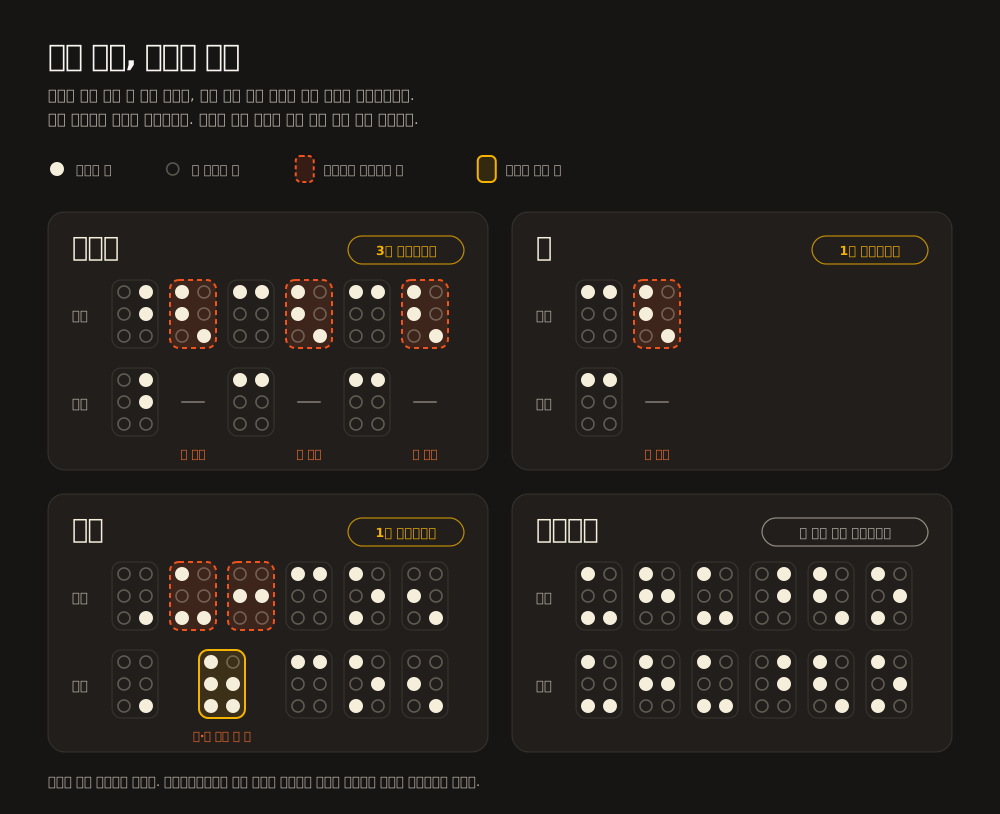
Four words drawn twice and aligned column by column: uncontracted above, contracted below. A braille cell is two columns by three rows; raised dots are filled and unraised dots are outlined. A cell ringed with an orange dashed line disappears under contraction, and a cell ringed with a solid yellow line is two cells above merged into one. 바나나 falls from six cells to three, the one-syllable word beside it from two cells to one, 손님 from six to five, and 오토바이 does not shrink at all.
Shortening does not work only one way. In 바나나 three omitted vowels reappear; in 손님 two cells merge into one; and in 오토바이 a following vowel cancels the contraction, so nothing shortens at all.
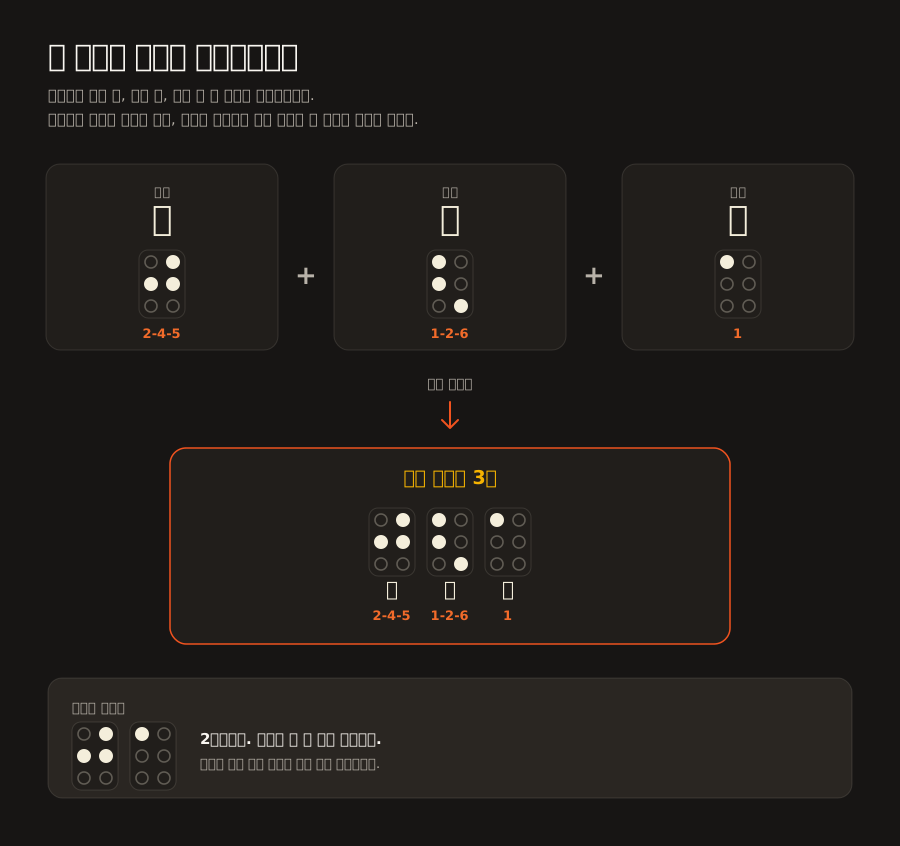
The syllable 학 split into its initial, vowel, and final letters. The initial is dots 2, 4 and 5; the vowel is dots 1, 2 and 6; the final is dot 1. Joined in order they make three uncontracted cells, and written contracted the middle vowel drops out, leaving two.
How one syllable is built, split into its letters. The dot patterns come straight from the braille engine.

Which syllables shorten was not left to guesswork. All 11,172 Korean syllables were generated both ways and compared one by one, and 1,551 of them turned out to differ because of contraction. These charts come straight out of that comparison, so nothing in them is drawn by hand.

0.0/3.0s
InsideINSIDE

Inside Eduble

Scroll and it comes apart exactly as designed: top shell, board, bottom shell. Three layers is all there is.

Dot switches01

The only moving parts are the switches

Each dot is one push-lock switch. There are no motors and no coils, so a raised dot draws no power, and the shape stays when the device is switched off.

Board02

Switches and lights on one board

64 switches, 64 indicator lights and a Bluetooth controller sit on a single board. A 185×54mm two-layer PCB.

INSIDE
What is inside

The hand raises the dots.

Instead of braille cells pushed up electrically, the learner raises and lowers the switches by hand. That keeps the build simple, and the shape stays under the fingertips.

0cells
ten braille cells · one word at a time
0keys
60 dot switches and 4 control keys
0LEDs
one per key, marking dots to keep and to press down
What's next

Getting to the classroom

It is a prototype today. Here is the order we are building in.

Spoken prompts and dictation
The app reads a word aloud and you build it in braille. It also says how many cells the word uses and what is standing on the board now.
Available now
Practice history
Items you get right go into review boxes and come back after 1, 3, 7 and 21 days. The Progress screen shows how far you have come.
Available now
Classroom management
A teacher sees how far every device has got on one screen and sends out assignments.
Planned